Tool · GAOBA AI Resources
Reel Maker Lite: Your First Animated Reel with Claude Code
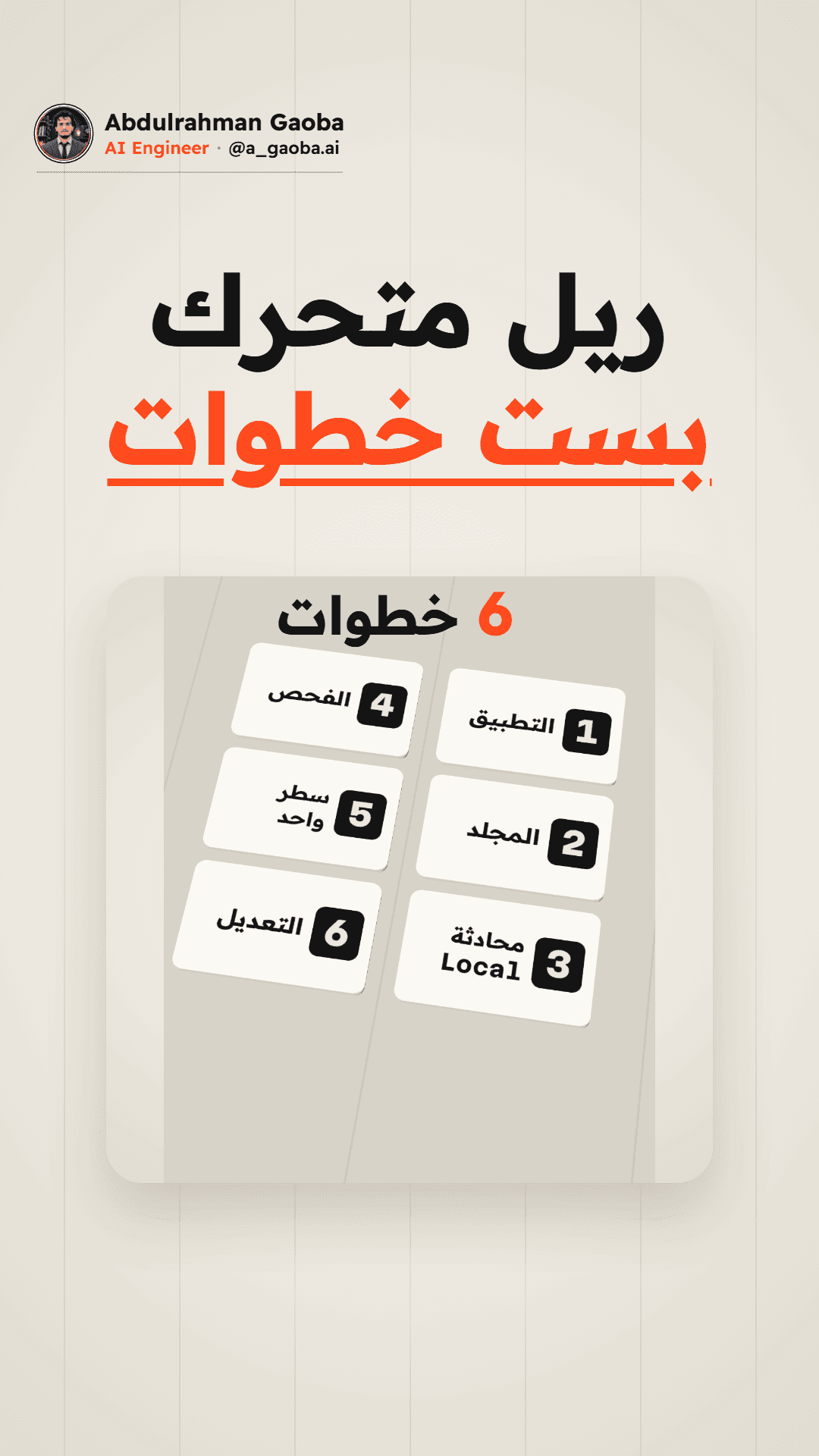
A free, simplified version of the same six-step workflow shown in the reel: a ready folder you open in Claude Code, one line with your reel's topic, and a vertical MP4 with animated text.
GAOBA AI Reel Maker Lite is a free, simplified version of the same six-step workflow shown in the reel. It is not the full system used to make GAOBA AI's reels. It is open source under the MIT license on GitHub.
After a one-time setup, you type your reel's topic in one line, and Claude writes the script, builds the scenes, checks a picture of each one and exports a 1080×1920 video to the out folder. If something is off, you say so in plain words and it changes it.
It runs on a computer (Windows or Mac), not on a phone. If you are on your phone, open this page later on your computer at the short link: gaoba.vercel.app/r/reel-maker
What you need
- A Windows or Mac computer. This version was tested on Windows 11 only.
- The Claude desktop app on a plan that includes Claude Code: not on the free plan; Pro or higher according to the pricing page at the time of writing.
- Node.js LTS, which you install once (free).
- Internet access and 2 GB of free space.
What you get
- The same six steps: the desktop app, the folder, a Local session, a setup check, one line with the topic, then changes in plain words.
- Six ready scene types: opening hook, point, steps, number, comparison and a closing call to action.
- Voice is optional: your own phone recording (tested) or your own ElevenLabs account (untested).
- An illustrated guide in Arabic, a ready example MP4 and a test report that says what was and was not tested.
- Not in Lite: music, sound effects, photos or footage, 3D scenes, or fact-checking. Review the script before you post.
Files and links
The files on GitHub
The full repository, MIT licensed. On a computer: click the green Code button, then Download ZIP, unzip it and name the folder AI Video Editor.
Open GitHubIllustrated guide (PDF, Arabic)
Seven pages that take you from the download to your first video. Start here.
Download the guideDirect ZIP download
The same files in one archive, without opening GitHub.
Download ZIPTest report
What was tested (Windows 11, a real MP4 export, a real narration) and what was not (macOS, the ElevenLabs voice).
Read the reportClaude desktop app
Claude Code runs from the Code tab of the desktop app.
Download ClaudeNode.js
Install the LTS version before step four (the setup check).
Node.js website